Répondre à un avis client
L'outil Réponse aux avis rédige pour vous une réponse juste à chaque avis client, en gardant VOTRE ton, que l'avis soit élogieux ou râleur. Vous le trouvez dans votre Espace client, via Dashboard, puis Assistant métier.
À noter. L'Assistant métier est inclus dans votre abonnement. Chaque génération consomme 1 du quota mensuel de votre plan.
Ouvrir l'Assistant métier et sélectionner votre métier
Rendez-vous dans votre Espace client, via Dashboard, puis Assistant métier. Avant tout, sélectionnez votre métier dans la liste et cliquez sur Enregistrer. C'est ce qui permet à l'agent d'écrire avec le vocabulaire et le ton de votre secteur.
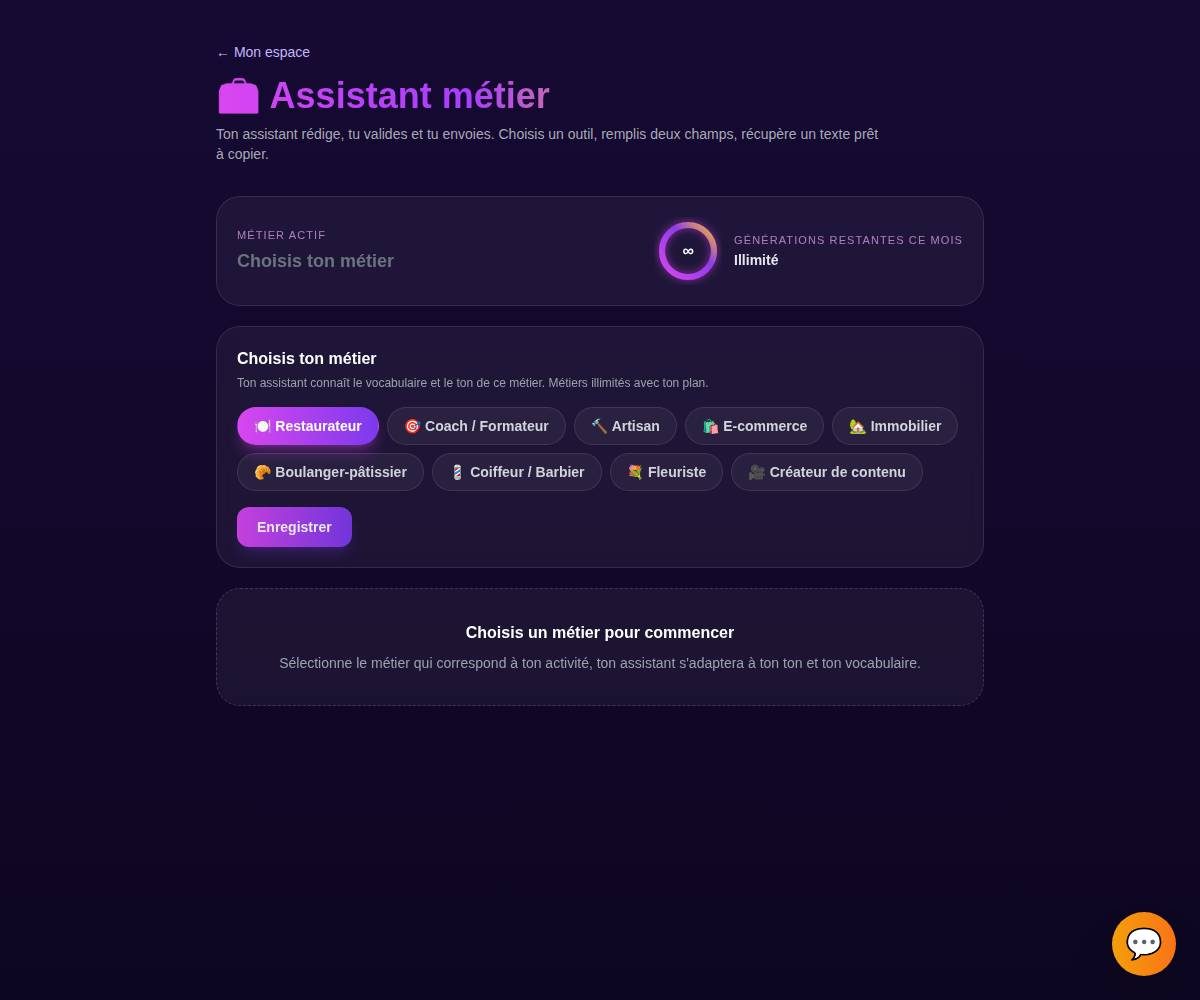
Tip. Le compteur de quota en haut vous montre combien de générations il vous reste ce mois-ci. Chaque génération en consomme une, quel que soit l'outil.
Choisir l'onglet « Réponse aux avis »
Dans l'Assistant métier, ouvre l'onglet Réponse aux avis. Chaque onglet correspond à un outil de rédaction dédié.
Collez l'avis du client
Collez le texte de l'avis reçu (Google, Facebook, Trustpilot...) dans le champ. Vous pouvez préciser si vous voulez une réponse plutôt courte ou plus détaillée.
L'avis du client
« Accueil au top, mais un peu d'attente le midi. »
La réponse proposée
« Merci beaucoup ! Ravi que l'accueil vous ait plu. On travaille à réduire l'attente du midi, au plaisir de vous revoir. »
Tip. Collez l'avis en entier, contexte compris. Plus l'agent voit le détail (ce que le client a aimé ou reproché), plus la réponse tombe juste.
Générer les variantes
Cliquez sur Générer. L'agent vous propose plusieurs variantes en quelques secondes, pour que vous choisissiez celle qui vous ressemble le plus.
Tip. Pas convaincu par une variante ? Ce n'est qu'un point de départ, vous allez pouvoir l'ajuster à l'étape suivante.
Copier, régénérer ou ajuster le ton
Une fois la bonne variante repérée, vous pouvez :
- Copier le texte en un clic.
- Régénérer pour de nouvelles propositions.
- Ajuster le ton : plus court, plus chaleureux, plus direct.
Il ne vous reste plus qu'à utiliser le texte, en le collant dans votre réponse sur Google, Facebook ou votre plateforme d'avis.
Tip. Vous gardez toujours le dernier mot. Rien n'est envoyé ni publié automatiquement, l'agent vous prépare le texte, c'est vous qui décidez quand et où l'utiliser.
Exemples par métier
Un usage court et crédible de l'outil, quel que soit votre métier.
« Répondre à un avis 5 étoiles qui salue le service »
« Répondre à un client qui a atteint son objectif »
« Répondre à un avis sur un chantier livré dans les temps »
« Répondre à un avis sur un colis reçu en retard »
« Répondre à un locataire satisfait de votre réactivité »
« Répondre à un avis sur la baguette du matin »
« Répondre à une cliente ravie de sa nouvelle couleur »
« Répondre à un avis sur un bouquet de mariage »
« Répondre à un avis sur une pièce faite main »
Tips bonus
Répondez vite, tout en répondant bien
La rapidité compte autant que le fond. L'outil vous enlève le temps de la rédaction, vous postez votre réponse dans la foulée pendant que l'avis est encore frais.
Gardez votre patte
Ajustez le ton jusqu'à ce que la réponse vous ressemble vraiment. Une réponse avec votre voix inspire plus confiance qu'un copier-coller générique repéré à dix kilomètres.
Ne répondez jamais à chaud
Face à un avis injuste, laissez l'agent proposer une réponse posée et pro. Vous évitez la réponse défensive qui se retourne contre vous et que tout le monde lit.
Remerciez même un avis négatif
Un futur client regarde surtout comment vous réagissez à la critique. Une réponse calme et constructive rassure plus qu'une note parfaite.
Prêt à répondre à vos avis en quelques secondes ?
L'Assistant métier est inclus dans votre abonnement. Découvrez les packs pensés pour votre métier, ou lancez votre essai.